
Run Site Ordering, Supplier Quotes and Procurement Savings from One Platform
Bring site orders, supplier RFQs, quote comparison, purchase orders, deliveries, returns and invoices into one workspace. Give Site Managers a structured way to order, suppliers a clear portal to respond, and Directors the spend and savings data behind purchasing decisions.
For directors, procurement administrators, site operations teams and finance leaders evaluating procurement software
Trusted by Leading Enterprises

One Workspace for the Buying, Supplier and Delivery Work Behind Every Site
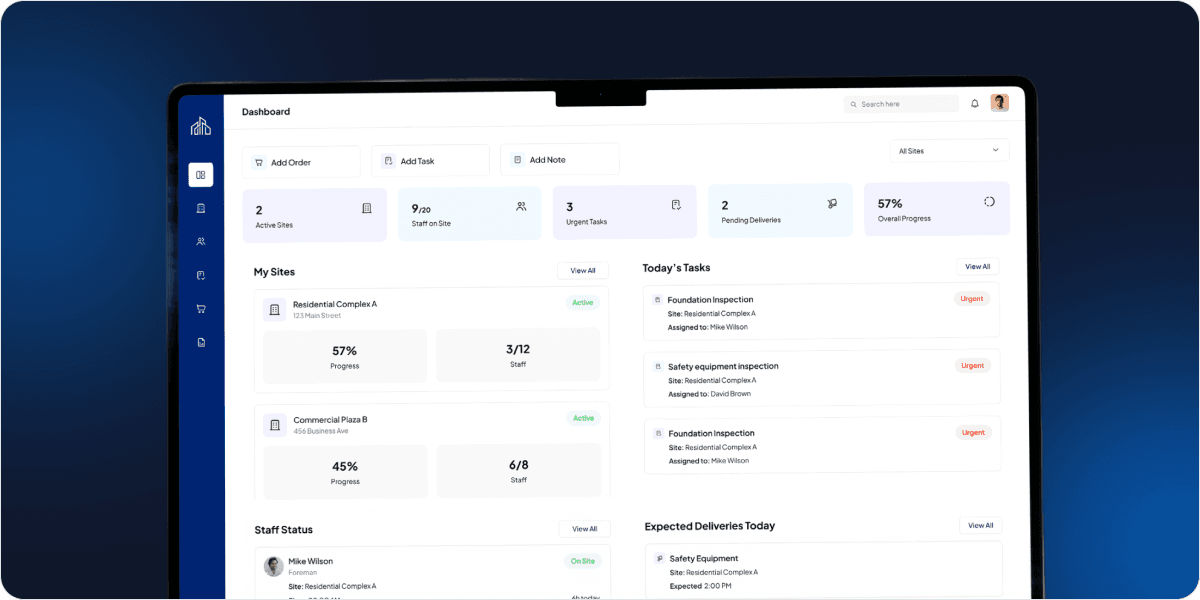
This procurement and supplier management platform brings a central product catalog, site-based ordering, quote requests, supplier quotations, purchase orders, delivery tracking, returns, disputes and reporting into one application. Admin, Director, Site Manager and Supplier users each work in a role-specific area, so the right people see the right orders, prices and actions.
Beyond ordering, the platform keeps a full quotation history, including winning and losing quotes, and uses it to calculate procurement savings by item, order, supplier, site and category. Historical pricing is stored in a structure designed for reporting and for future AI-assisted analysis.
- Catalog, ordering, quotes and POs in one application
- Spend and savings by site, supplier and category
- Role-specific areas for every user type
A Purchase Order Shows What You
Bought. It Does Not Show What You
Could Have Paid.
Supplier prices are hard to compare
Quotes arrive in different formats, and past prices for the same product or variation are difficult to find when the next order is raised.
Site orders lack a consistent process
Product choices, quantities, units, delivery dates and emergency requests need a structured route from the site to the buyer.
Deliveries, returns and invoices drift apart
Partial deliveries, damaged or wrong items and supplier invoices need to be matched to the original purchase order.
Savings and spend are hard to evidence
Directors need dependable views of spend and savings by supplier, site and category without manual consolidation.
Give Sites a Simple Way to Order and
Leadership the Visibility to Control Spend
Compare supplier quotes with confidence
Send RFQs to one or many suppliers, compare quotes side by side and accept the winning supplier, with quote history kept.
Keep orders, POs and invoices connected
Generate unique POs from accepted quotes, regenerate them after amendments or returns, and verify invoices against the PO.
Track delivery through to sign-off
Follow orders from shipped to partially and fully delivered, with delivery confirmation, sign-off and returns.
See spend and savings by site and supplier
Review total spend, savings, monthly and yearly trends and supplier competitiveness, with role-based savings visibility.
Explore the Procurement Modules Your
Organization Can Use

Product catalog and variations
Maintain a central catalog with images, descriptions, categories, brands, materials, colours, sizes and other configurable attributes. Manage product variations with variation-specific pricing and price history, search and filter by attribute, supplier or price, and use bulk import/export.
From Site Order to Savings
Review
See How the Modules Support Real
Procurement Processes
Use these business scenarios to test how ordering, quoting, delivery and reporting records work in the platform.
From site order to winning quote
Site orders, RFQs and supplier quotes stay linked from request to award
Step 01
Select site and products
Variations, units and dates set
Step 02
Submit the site order
Routed to Admin for sourcing
Step 03
Send RFQs to suppliers
One or many suppliers invited
Step 04
Suppliers submit quotes
Individual or bulk submissions
Step 05
Compare and accept
Winning quote accepted
- Every quote linked to the order
- Winning and losing prices retained
- Savings calculated from quote data
Designed for Organizations Running
Structured, Multi-Site Procurement

Directors and business owners
For decision-makers who want a clearer view of spend, savings, supplier competitiveness and the procurement activity behind each site.

Procurement administrators and finance teams
For teams assessing RFQ management, quote comparison, purchase orders, supplier invoices, returns and reporting in one environment.

Site managers and operations teams
For organizations whose sites order materials and products regularly and need structured ordering, delivery tracking and sign-off.

IT and procurement decision-makers
For people evaluating user access, supplier onboarding, existing systems, rollout requirements and the scope of a commercial implementation.
Give the Right People Access to the
Right Procurement Data
Role-based access for Admin, Director, Site Manager and Supplier users, with role-specific dashboards and permission-controlled savings visibility
Role-based access control
Admin, Director, Site Manager and Supplier users each work in a role-specific area with their own dashboard.
Site-level access
Site Managers only see and order for the sites assigned to them, keeping order visibility site-specific.
Supplier data isolation
Suppliers view only their own assigned orders, quotes and invoices through a dedicated supplier portal.
Financial data restrictions
Permission-controlled savings visibility limits who sees prices, spend and savings across the organization.
Auditability and API access
Review the auditability of procurement actions, secure API access and user-specific dashboard data.
Hosting and compliance review
Confirm hosting, backups, integrations, regional tax, compliance and retention needs during technical discovery.

Is This Procurement Platform Right for Your Business?
Use these practical criteria to determine whether the platform fits the way your organization buys:
You order for multiple sites
Your Site Managers need to place orders, track deliveries and see only the sites assigned to them.
Supplier quotes drive your purchasing
You want to request, compare and award quotes while keeping a history of winning and losing prices.
Savings need to be evidenced
Directors want to see spend and savings by supplier, site and category, based on quote data.
Deliveries, returns and invoices need control
You need partial deliveries, sign-off, returns, disputes and invoice-to-PO checks in one record.
You can define your rollout requirements
Your buying team can specify users, sites, suppliers, product data migration, integrations and reporting expectations.
Questions Buyers Should Ask Before
Selecting Procurement Software

99%
JOB SUCCESS

15000+
WORKING HOURS

500+
HAPPY CLIENTS

60+
PROFESSIONAL TEAM